
Style Forge

Style Forge is a desktop app that generates written content in a specific author's style. Generation runs on Claude and a retrieval pipeline over the author's own material, so new drafts stay grounded in real source articles instead of generic training data — the goal is text that reads like the author actually wrote it, accurate enough that a manual AI-detection check is the only thing standing between a draft and publishing. The workflow is content-agnostic — the same import, analysis, and generation pipeline works for medical writing, marketing copy, blog posts, SEO articles, or technical docs — and keeps every project's sources, style profile, and articles isolated so several authors or clients can be managed side by side.
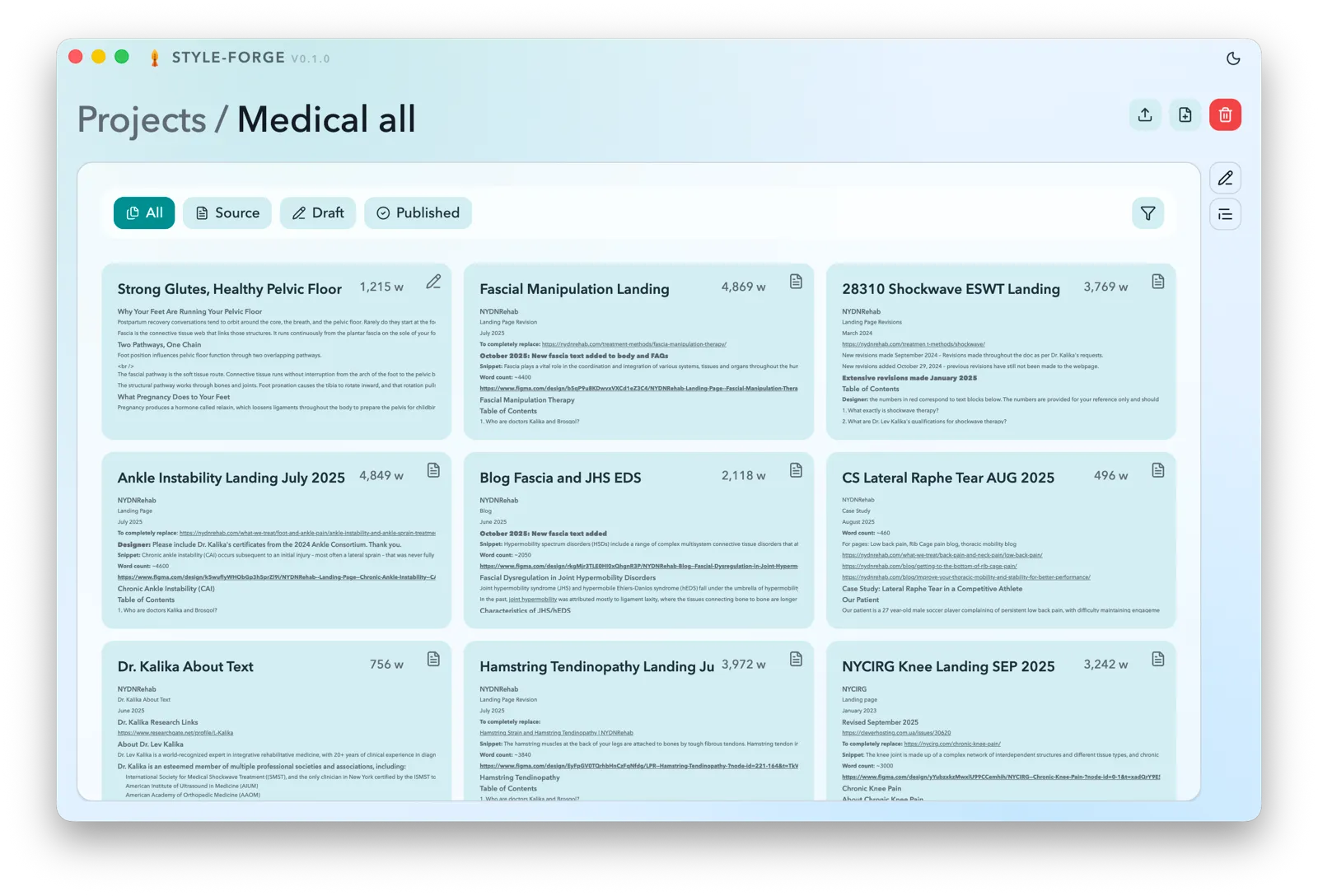
Projects and articles
Each project is an isolated workspace: its own source articles, style profile, and settings. The article library filters by status — source, draft, or published — and articles move between draft and published while source material stays read-only. Source files come in as .md, .txt, or .docx, including a mixed batch or a whole folder, and a background worker converts everything to Markdown as it's queued.
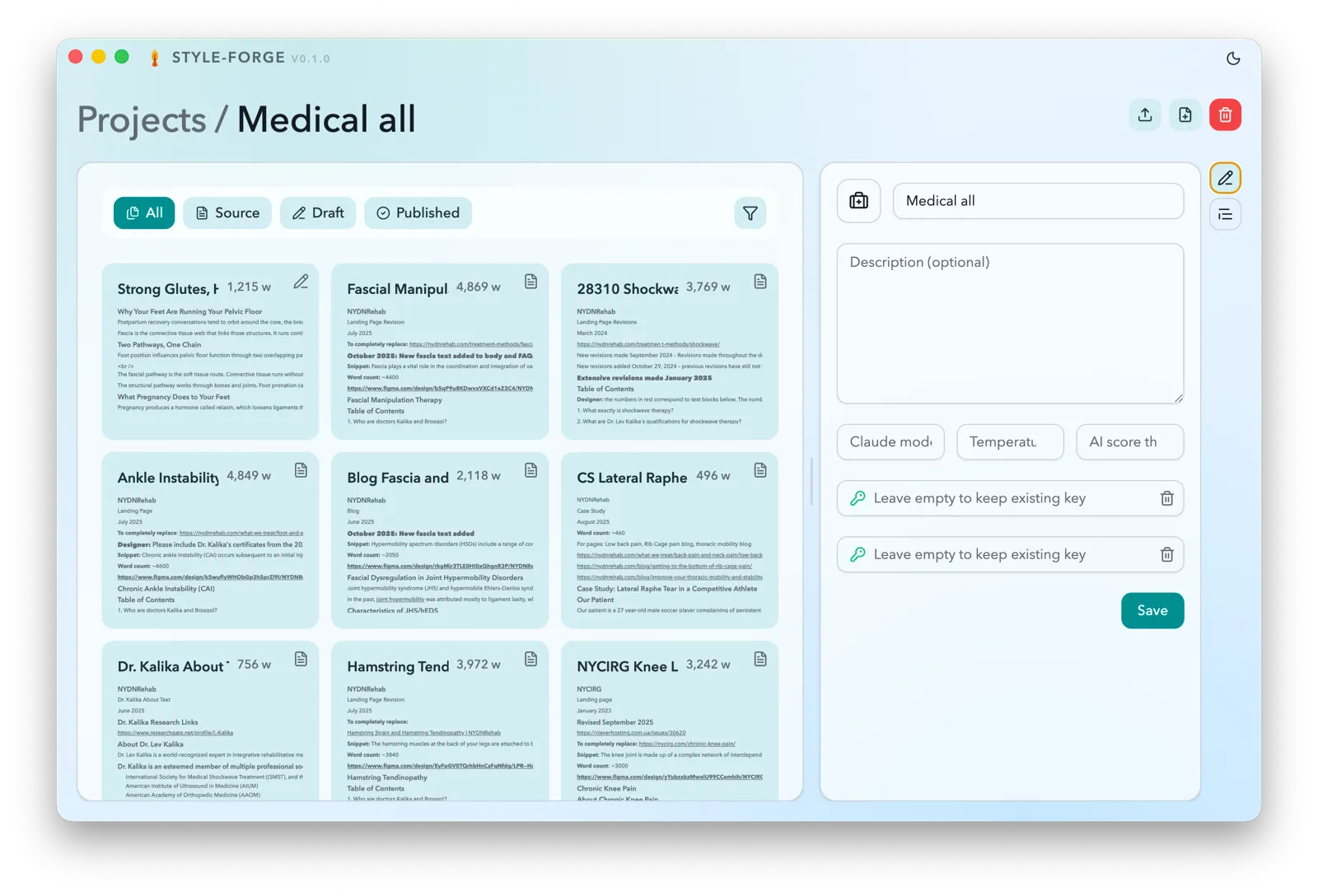
Project settings
Each project keeps its own generation settings — which Claude model to use, the generation temperature, and an AI-score threshold — alongside the provider API keys needed to reach Claude and the embeddings service, all saved through a single project update flow.
Technologies
- ReactJS

- TypeScript

- Tailwind CSS

- Electron

- SQLite

- Claude

- OpenAI

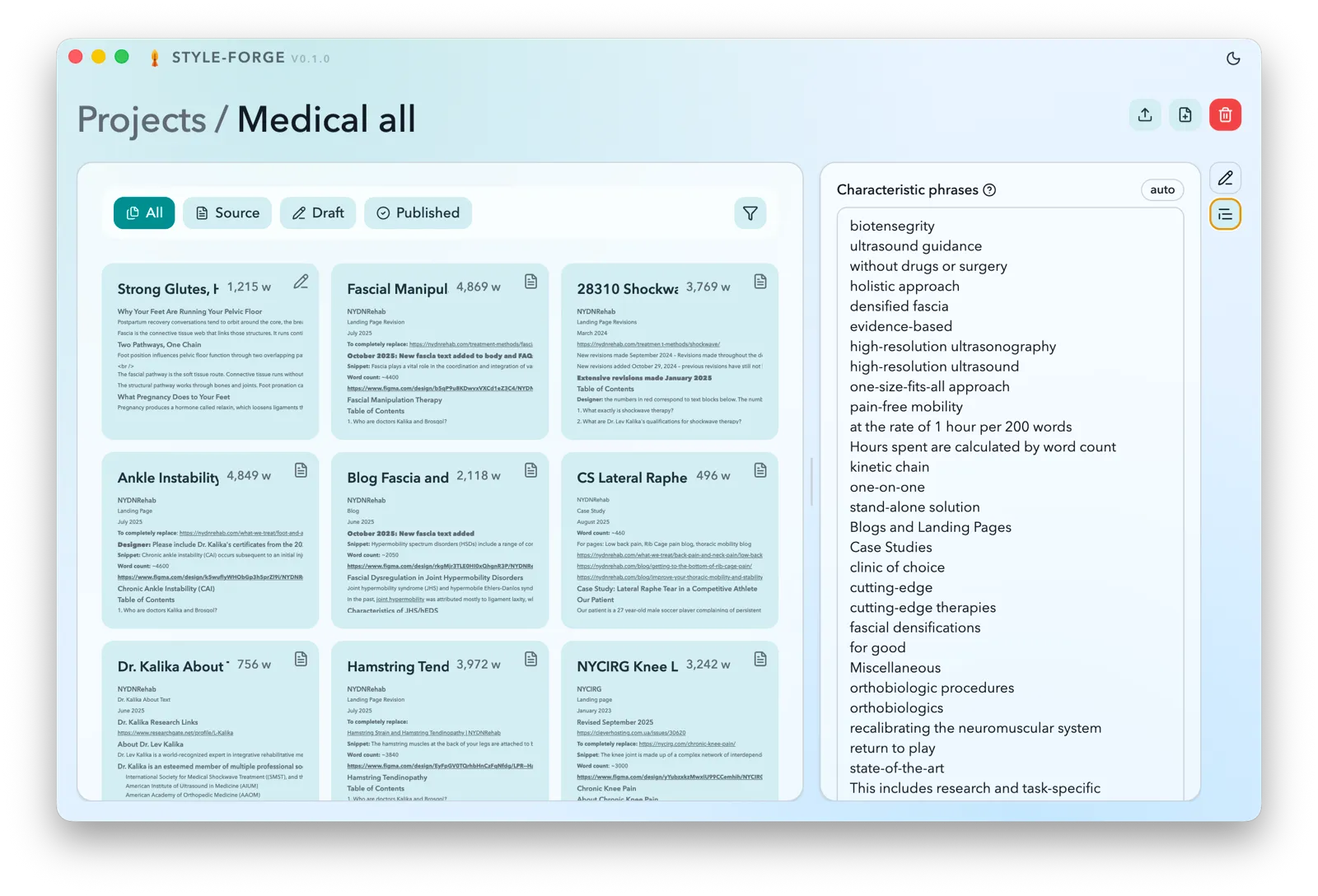
Project style profile
Every source article gets its own style read on import — characteristic phrases, sentence constructions, and tone — and those per-article profiles are aggregated into one style profile for the project. That aggregate is what later grounds generation in the author's established voice, and it's rebuilt automatically as articles are added or removed.
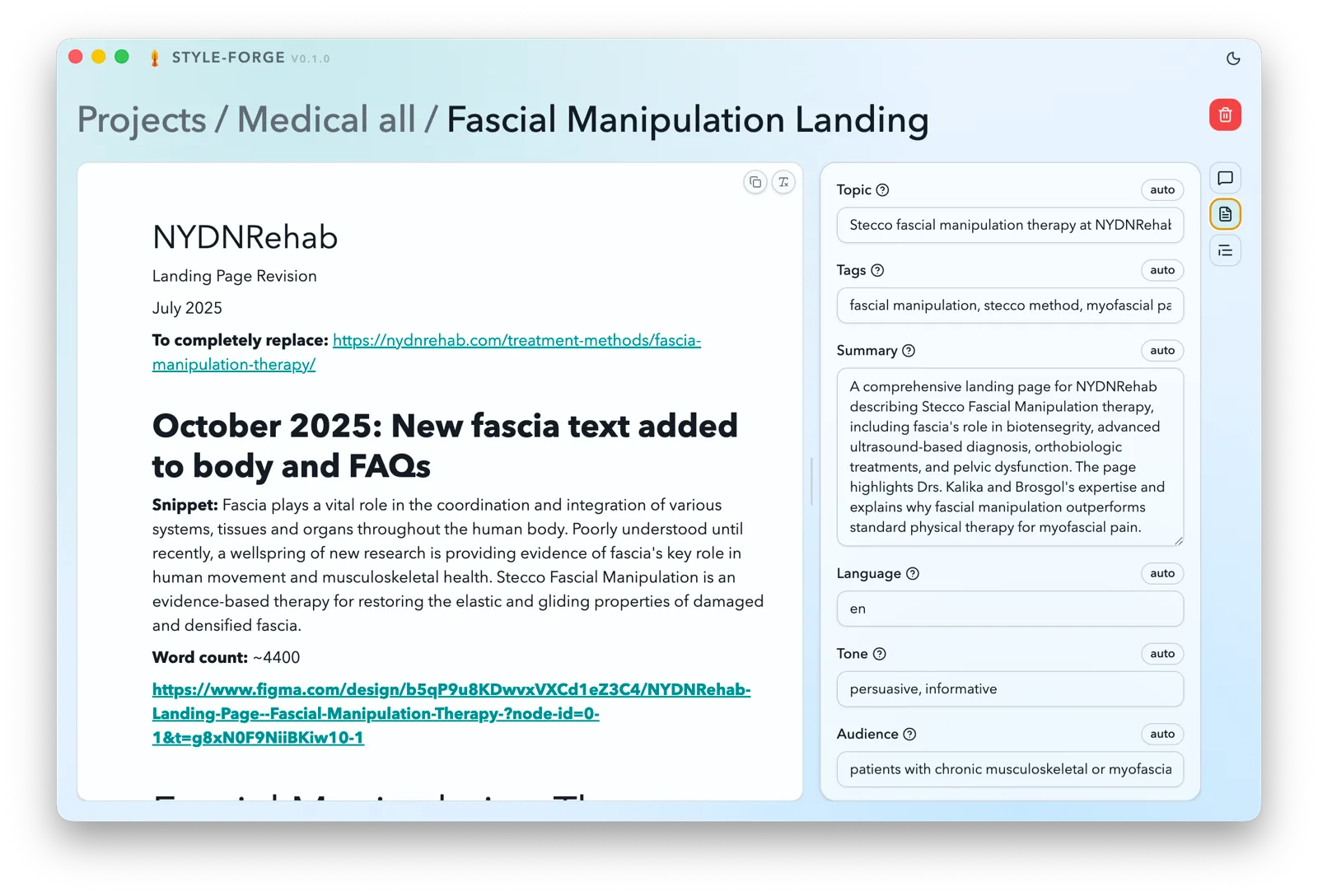
Metadata extraction
Claude reads every imported article and fills in its topic, tags, summary, language, tone, and audience automatically, each flagged auto until a user edits it by hand. The extracted metadata also feeds the library's filters and improves what the retrieval step finds later.
Team
-

Mr. Oleksandr Nashyvan
CEO
nashivan.pp.ua
Style inspector
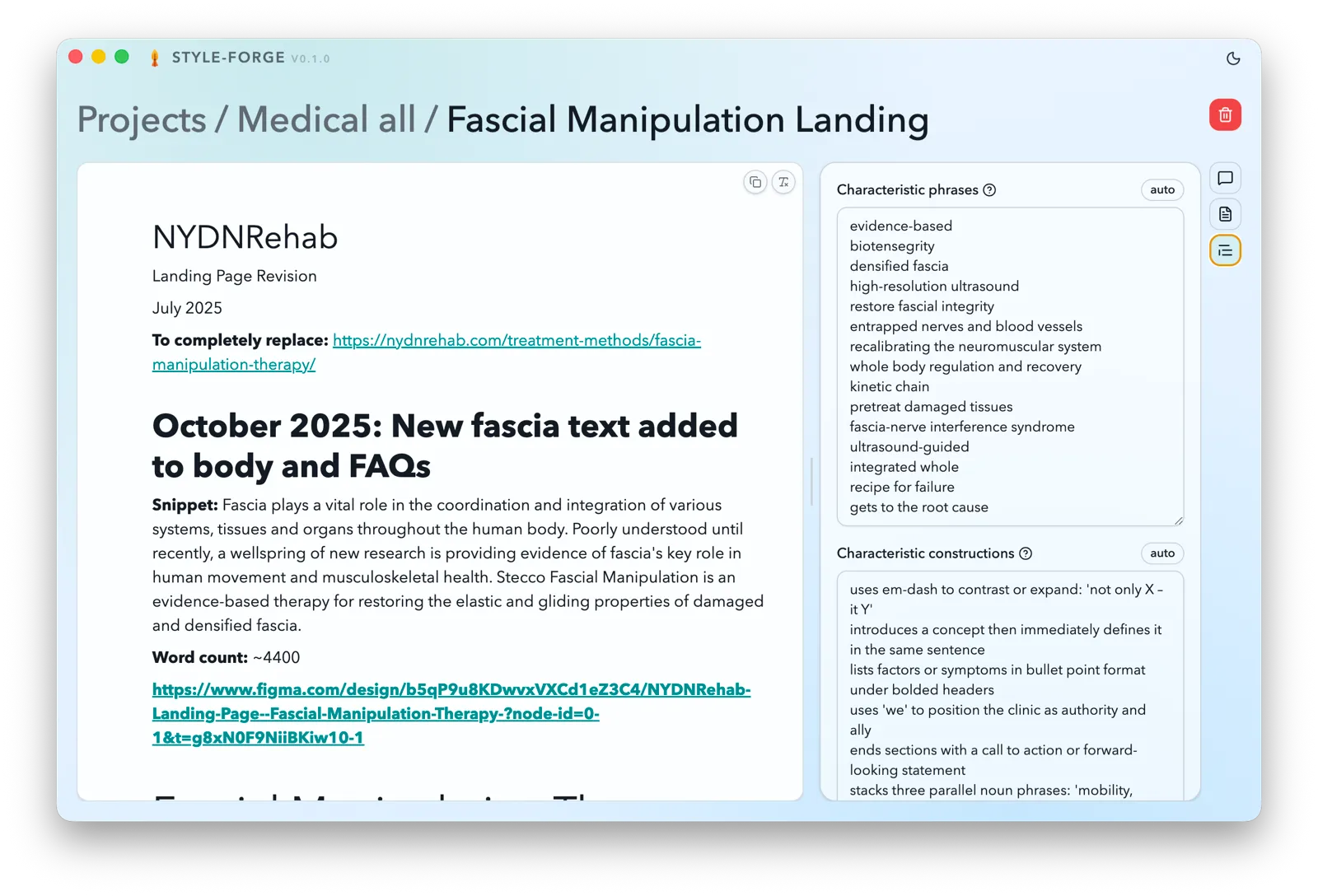
A dedicated inspector surfaces the phrases and sentence constructions Claude picked out of an article — the same signals that get rolled into the project's aggregate style profile — so a user can review, edit, or strip out anything that doesn't actually belong to the author's voice.
Split-view workspace and generation
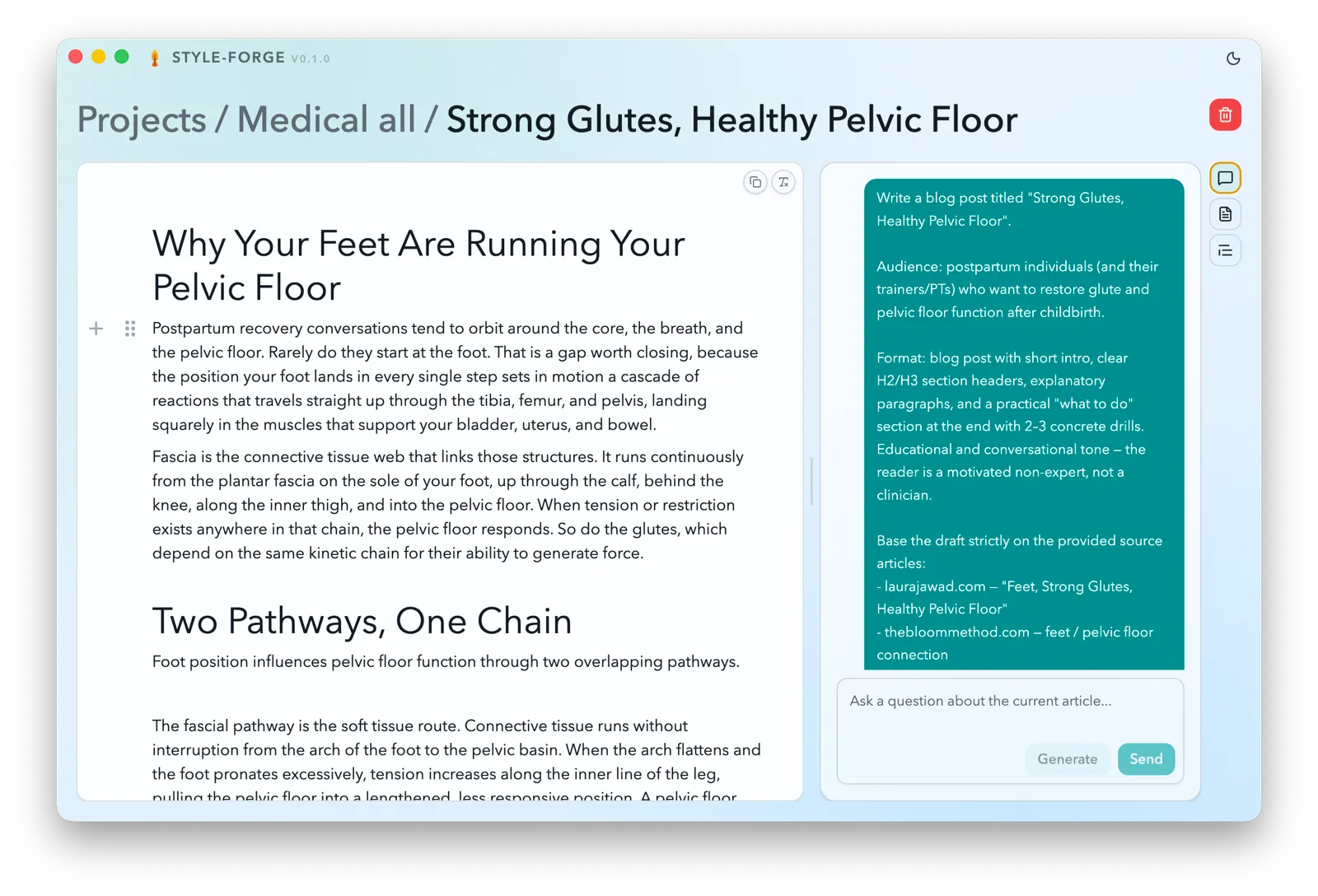
Every article opens in a split view: the text on the left — locked for source and published, editable for draft — and a chat with Claude on the right that's available regardless of status. For a draft, the chat walks through clarifying the brief, retrieving relevant source material, and generating text that can be saved or cancelled before it touches the article.

Highlights
The first stretch of work took the app from an empty Electron shell to a working content workspace: importing an author's material, indexing it, and generating new drafts in their voice.
- Electron app shell scaffolded across main, preload, renderer, and worker processes, with a local SQLite database and a queued import pipeline for
.md,.txt, and.docxsource articles - Project and article library UI added, with source/draft/published states and a Claude-powered chat workspace
- Source material indexed through chunking, embeddings, and a SQLite vector store for retrieval-augmented generation
- Automatic per-article metadata and style extraction via Claude, aggregated into a project-wide style profile
- Metadata and style inspector panels added so users can review and edit what Claude extracted
- Guided draft-generation flow added to the chat — clarification, retrieval, generation, save or cancel — plus macOS packaging for the app